The 3D Printer Revival Project
 2026-03-09
One of my grandchildren started to show interest in nerdy pursuits and wants to learn how to use a 3D printer. I have an old printer that I bought in kit form in 2018 from the Chinese company Flsun. I used it for a while until the extruder died. I ordered a new extruder but I lost interest and never bothered to finish repairing it. Now, I decided to update it and pass it to my grandson.
Existing Printer #
This is a Prusa MK3 clone that looks like this: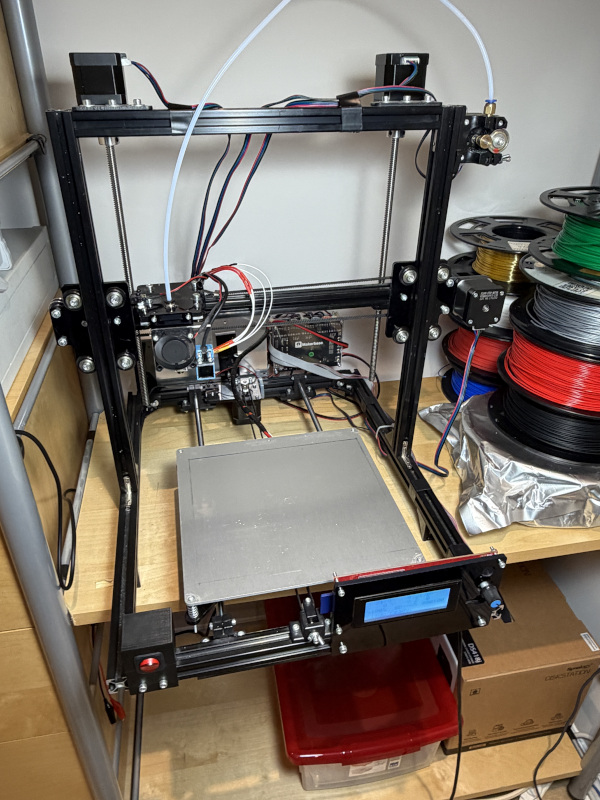
Motherboard is Makerbase MKS Gen_L V1.0: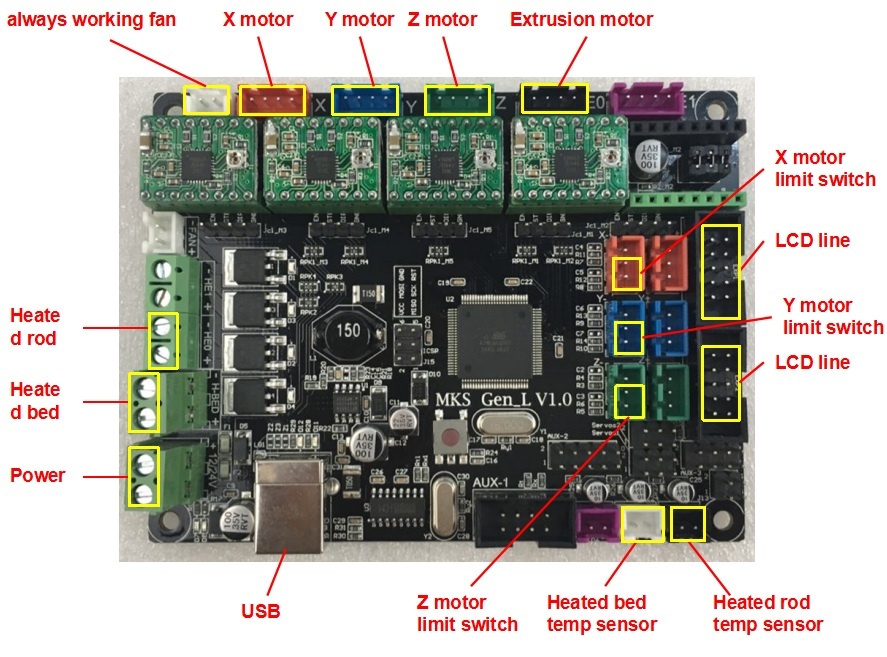 with ATMEGA2560 processor
If has an LCD controller with an SD card slot: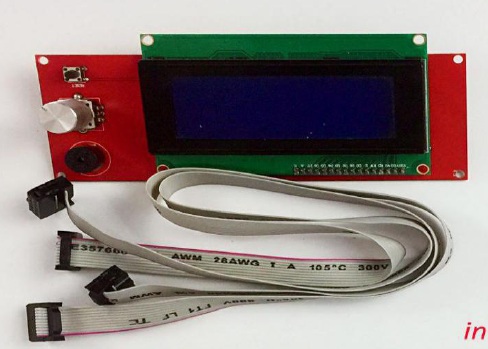
Installed firmware is Merlin 1.1.9. It seems the printer came with firmware version 1.1.2, but at some point I updated it to 1.1.9 without keeping track of changes.
Chasing information #
Motherboard #
Makerbase GiHub repository has all the information about the motherboard hardware.
I have included the schematic here for reference.
The stepper motor drivers
have a confusing marking “BT7221A” but the chip is marked “HR4988” so it is probably an A4988
Moreover, the markings on the side match those of an A4988 driver: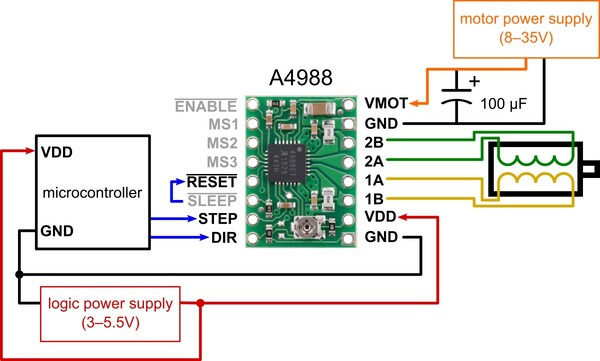
LCD controller #
Is a clone of the RepRapDiscount Smart Controller: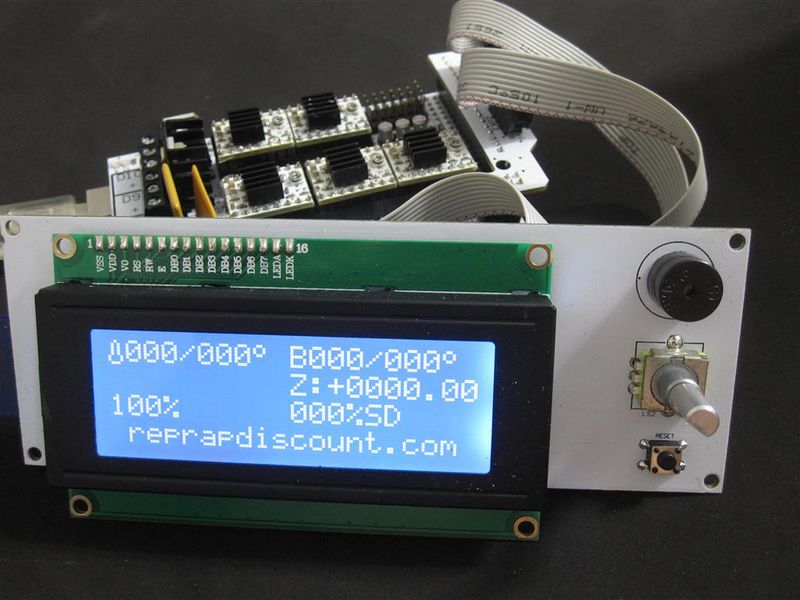
Marlin Software #
Marlin firmware is currently at version 2.1.2.7. I want to update it but first I would like to download existing firmware which works rather well.
Downloading previous code #
While you can upload a new firmware using the Arduino bootloader, downloading from flash requires an AVR ISP (In-System Programming) device. The preferred tool for accessing flash memory is AVRDUDE.
For an ISP, I was looking to get the Pololu USB AVR Programmer. However, the electronics corner store where I usually shop, didn’t have it in stock, so I’ve got a clone of USBasp.
When I plugged it in on a Windows 10 machine, it couldn’t find a driver. It turns out there are no signed drivers for it so you need to use a tool called Zadig to install the driver1.
The next hop was to hookup the 10-pin connector to the 6-pin one on the motherboard. Some jumper wires took care of that: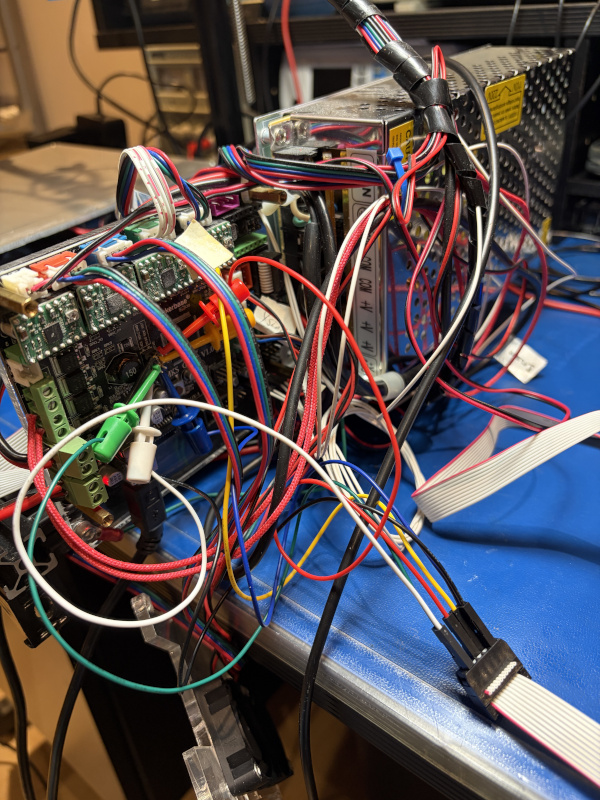
The command to download the firmware is:
avrdude -p m2560 -c usbasp -U flash:r:flsun.hex:i
Segal’s Law #
According to Wikipedia, Segal’s Law says:
A man with a watch knows what time it is. A man with two watches is never sure.
Being unhappy with the jumper wires arrangement, I went back to the electronics shop and this time I found the Pololu AVR programmer. It has drivers for Windows 10, so installation was a breeze. I downloaded again the firmware; this time the command is:
avrdude -c stk500 -p m2560 -P com4 -U flash:r:flsun.hex:i
That created another hex image file, but surprise: the files are completely different. So I’m left with 2 watches, scratching my head and wondering which image is good.
Time to get a disassembler2 to look at resulting hex files. The file downloaded using USBasp starts like this:
       0:	a9 f7       	brne	.-22
       2:	8a e0       	ldi	r24, 0x0A
       4:	0e 94 af e2 	call	0x1c55e
       8:	81 e0       	ldi	r24, 0x01
       a:	80 93 fc 07 	sts	0x07FC, r24
       e:	80 93 fd 07 	sts	0x07FD, r24
      12:	80 93 fe 07 	sts	0x07FE, r24
while the file downloaded with Pololu AVR programmer begins with:
       0:	0c 94 57 18 	jmp	0x30ae
       4:	0c 94 88 18 	jmp	0x3110
       8:	0c 94 88 18 	jmp	0x3110
       c:	0c 94 88 18 	jmp	0x3110
      10:	0c 94 88 18 	jmp	0x3110
      14:	0c 94 88 18 	jmp	0x3110
It becomes clear that the good one is the one downloaded with Pololu AVR programmer because it starts with the interrupt vector table.
… to be continued …